
Feature · Scheduling
Build the week without double-booking anyone.
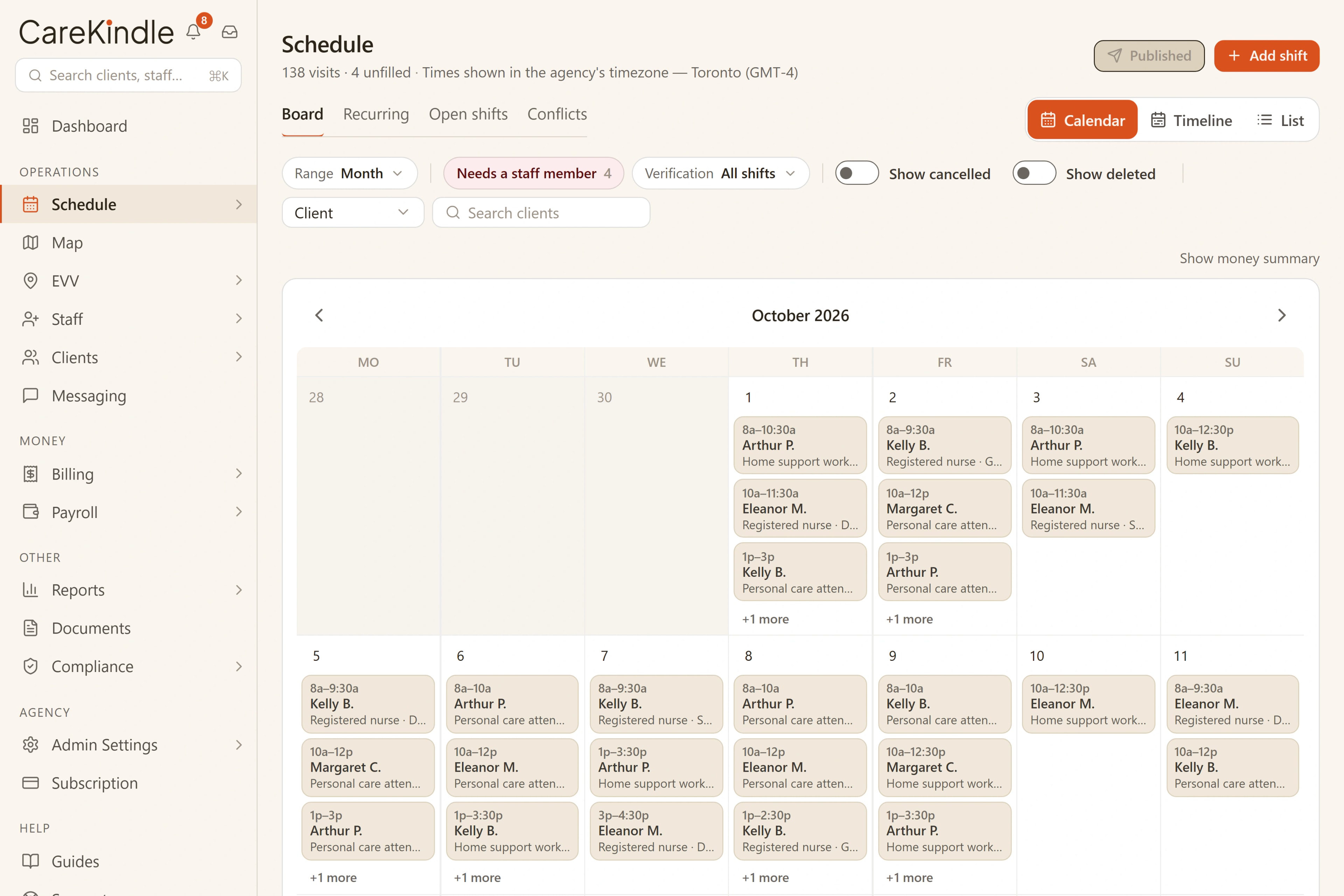
Conflicts surface while you build, and everything still needing a person waits on the open-shift board, not in your head. The whole week, per caregiver, at a glance.
Key capabilities
Everything the week needs, on one board.
Every caregiver’s week, side by side
A week board per caregiver, with a month calendar one click away.
Conflicts flagged as you assign
Overlaps and double-bookings are named before the week goes out.
An open-shift board
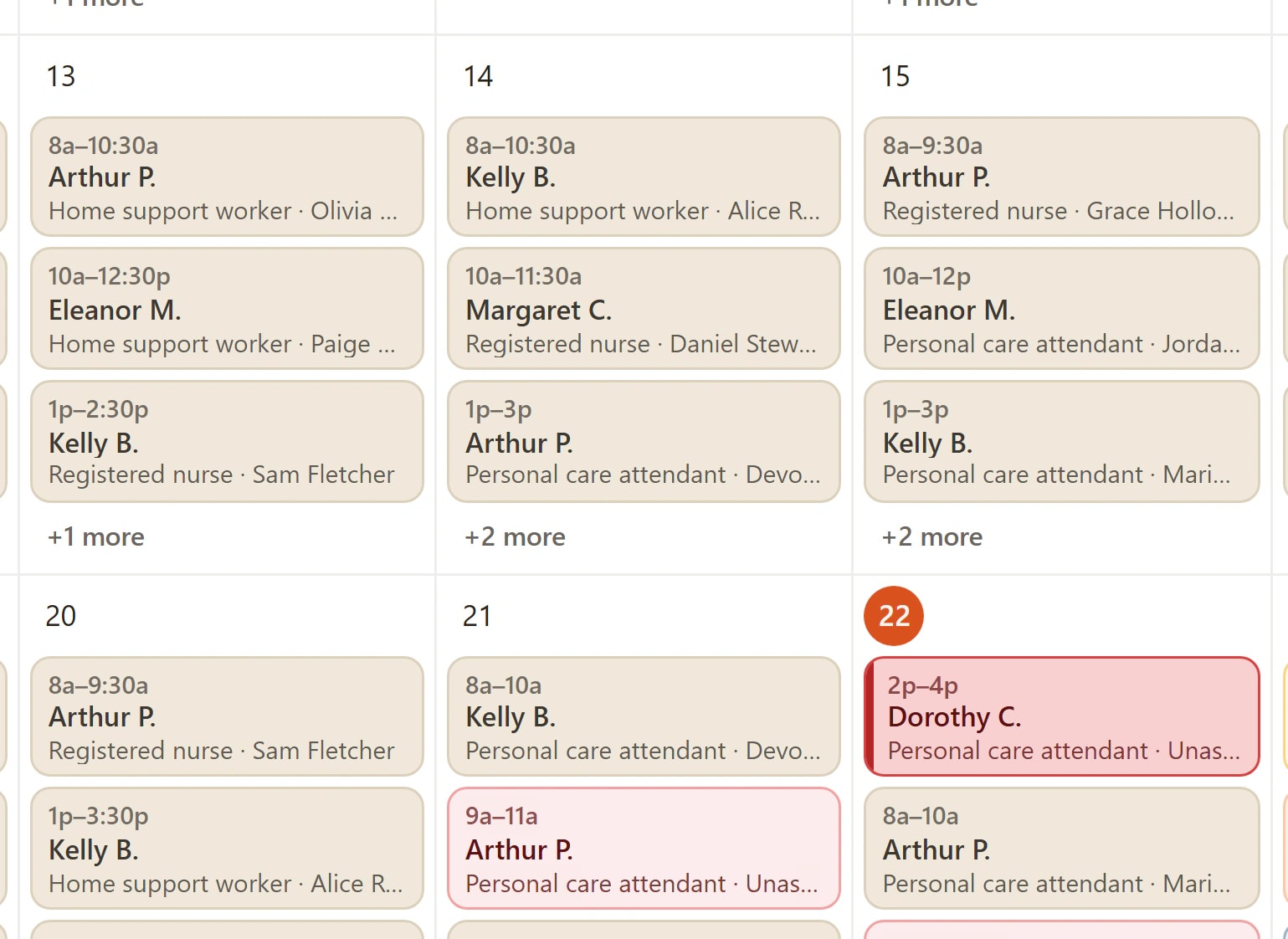
Unfilled visits wait on a board caregivers can claim, the count kept current.
Nearest caregivers first
Who is free at that time, nearest first, with the distance beside each name.
In the product
The whole week, per caregiver, at a glance.
Build next week on a board that shows every caregiver’s week side by side. Conflicts and overlaps are flagged inline the moment you assign, so a double-booking never reaches anyone’s phone.
- Conflicts and overlaps flagged inline as you assign.
- The whole week per caregiver, at a glance.
- Unfilled visits counted, ready to post to the open-shift board.
- Caregivers free at that time listed first, nearest first, with the distance from this client beside each name, and anyone already booked or away says so.
Also in this view
- Opens on a month calendar of every shift, with the caregiver timeline and a plain list one click away.
- Search one client or caregiver and the board narrows to just their visits.
- Hover any day on the calendar and click + to add a shift there: on the schedule, or straight from a client’s or caregiver’s file, with that person already chosen.
- Right-click a shift to copy it, then click another day to drop a copy there. One click undoes it.
- Drag a shift to another day, another caregiver or another time, on the calendar or the timeline. One click puts it back.
- Reassign a shift or cancel it from the same right-click: the picker lists caregivers free at that time first, nearest first, and a cancellation can carry a late fee.
- A do-not-send list per caregiver that the schedule enforces on every route into it, not a warning a tired scheduler can click past.
How it works
From a blank week to a published schedule.
The same four moves every week, in one place instead of a spreadsheet and your memory.
Build the week
Lay out next week on a board that shows every caregiver’s week side by side.
Flag conflicts
Overlaps and double-bookings are called out inline the moment you assign a visit.
Post open shifts
Every visit still needing a person lands on the open-shift board, the count kept current.
Publish clean
Resolve the flags, publish the week, and verified visits flow into billing and payroll.
Everything the week needs to come together.
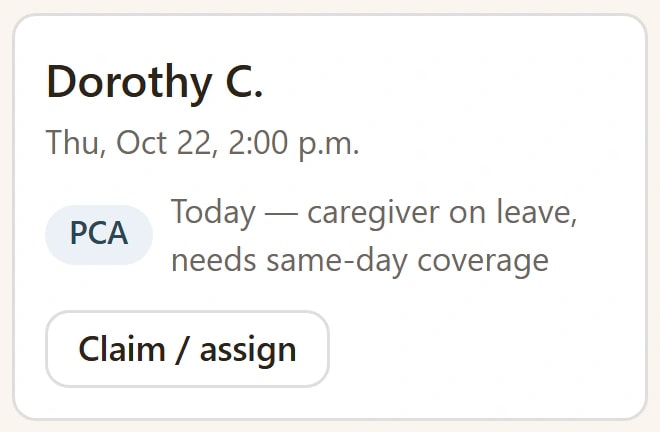
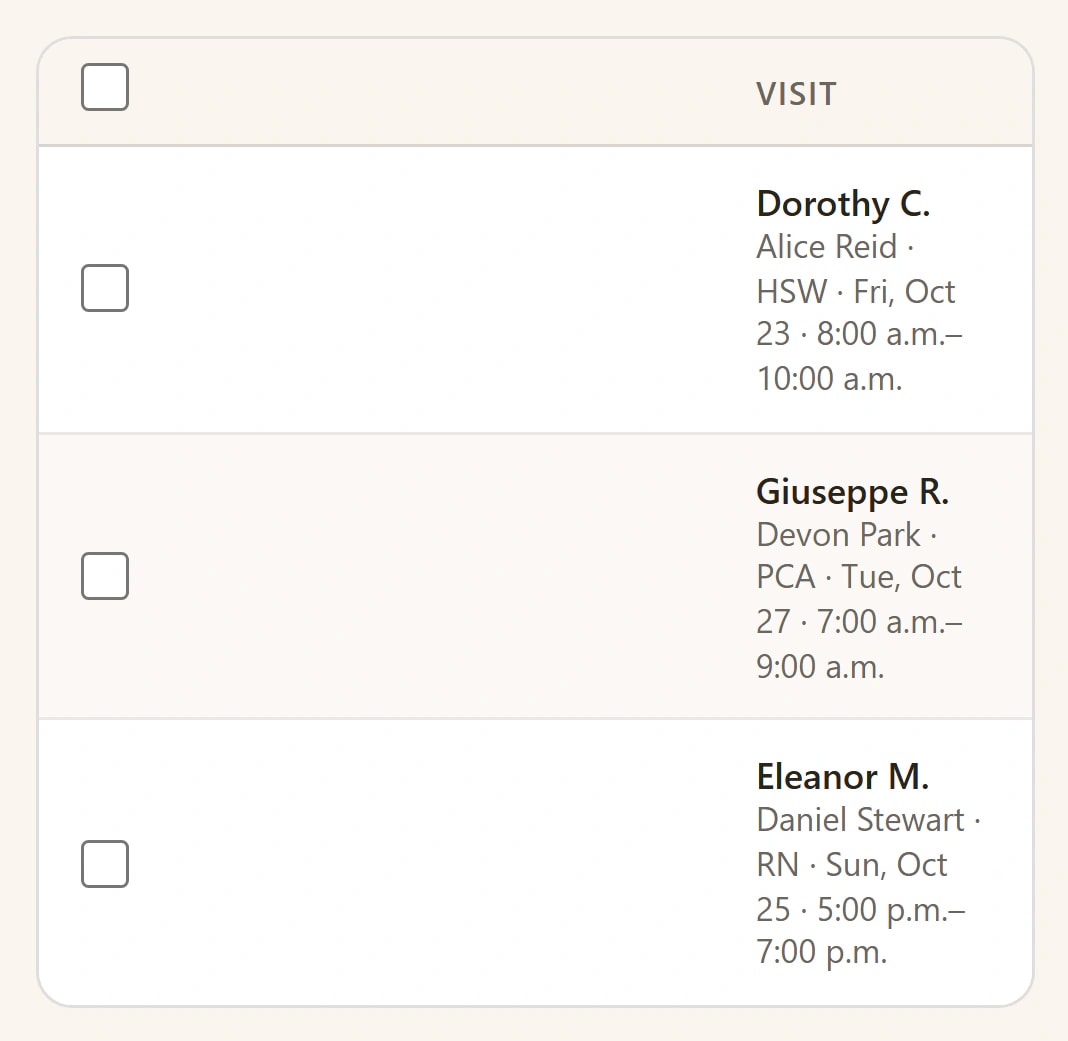
Open shifts wait on a board, not in your head.
Every visit that still needs a person lands on the open-shift board, the count kept current. Fill it from the people who can actually take it, and watch the open count fall.
Every conflict named before you publish.
Open a visit and the schedule shows exactly what is wrong (an overlap, a gap, a caregiver already booked) named in plain language, so you fix it before the week goes out.
See who is near whom before you staff a visit.
Map plots your active clients on one map, with caregiver pins for owners and admins. Pick a client and the nearest caregivers come back with the distance to each, whatever your role. Distances are straight-line, from the address on file, and where the geocoder could only place the street rather than the building, the map says so: the pin gets a halo and the distance is rounded to the nearest kilometre instead of pretending to a precision it does not have. Anyone whose address is not on the map yet is counted rather than quietly dropped, so a gap reads as missing data, not as an empty neighbourhood. Picking a caregiver on a visit reads the same way: whoever is free at that time first, nearest first, the distance beside the name, and no bracket at all where the distance is not known yet.
A credential gap is named, not discovered later.
You set up your list of credentials once, then pick which ones each caregiver role requires; a service code can say which roles may work it, such as an RN or an LPN for a nursing visit, and add its own credentials on top. Only a credential filed under that list counts, so a typo never clears someone for a shift. The check is judged against the visit’s own scheduled start, so a document that will have lapsed by then counts as missing today. Assigning a caregiver from the visit record is refused, and so is adding or retiming a shift for them, and so is a caregiver picking up an open shift they are not cleared for. On a dialog the refusal comes with a tick box, so a coordinator who means it can still book the shift and the decision is recorded. On the routes with nobody watching, such as publishing a recurring series or importing a spreadsheet, the gap is written onto the visit as a blocking conflict for a coordinator to clear before the week goes out. Nothing is required until you say so.
Publish once, and the week goes out clean.
Resolve the flags on the board, publish with confidence, and the verified visits flow straight into billing and payroll, with no re-keying the same week twice. A visit the missed-visit timer got wrong can be reopened: it returns to Scheduled, reminders and alerts re-arm, and the reopen is recorded.
The schedule you build reaches a real person’s day.
Every clean week you publish turns into someone showing up, unhurried and on time, for a visit that matters. The board does the worrying so the caregiver doesn’t have to.

A double-booking never reaches anyone’s phone.
Conflicts are caught on the board while you build, so the schedule that goes out is the schedule that holds.
Works with
One platform, so the work carries on.
Each feature reads from the same records, so what happens here is ready for the next step without retyping.
Visit verification
GPS check-in and check-out; anything off lands in a queue a person reviews.
Billing & claims
Invoices from verified visits, the right tax for your region on every one, books that export.
Payroll
Timesheets built from verified visits, priced to match every invoice: one number, never two.
Give CareKindle your next Monday.
14-day trial · full access · no credit card.