
GUIDE
Billing home care: invoices, taxes, insurers, and payments
Raise invoices with GST/HST based on the client’s province, charge a late cancellation without paying the caregiver, and reconcile Interac payments. Built-in safeguards stop $0 invoices, taxable invoices with no province on file, and the same period billed twice.
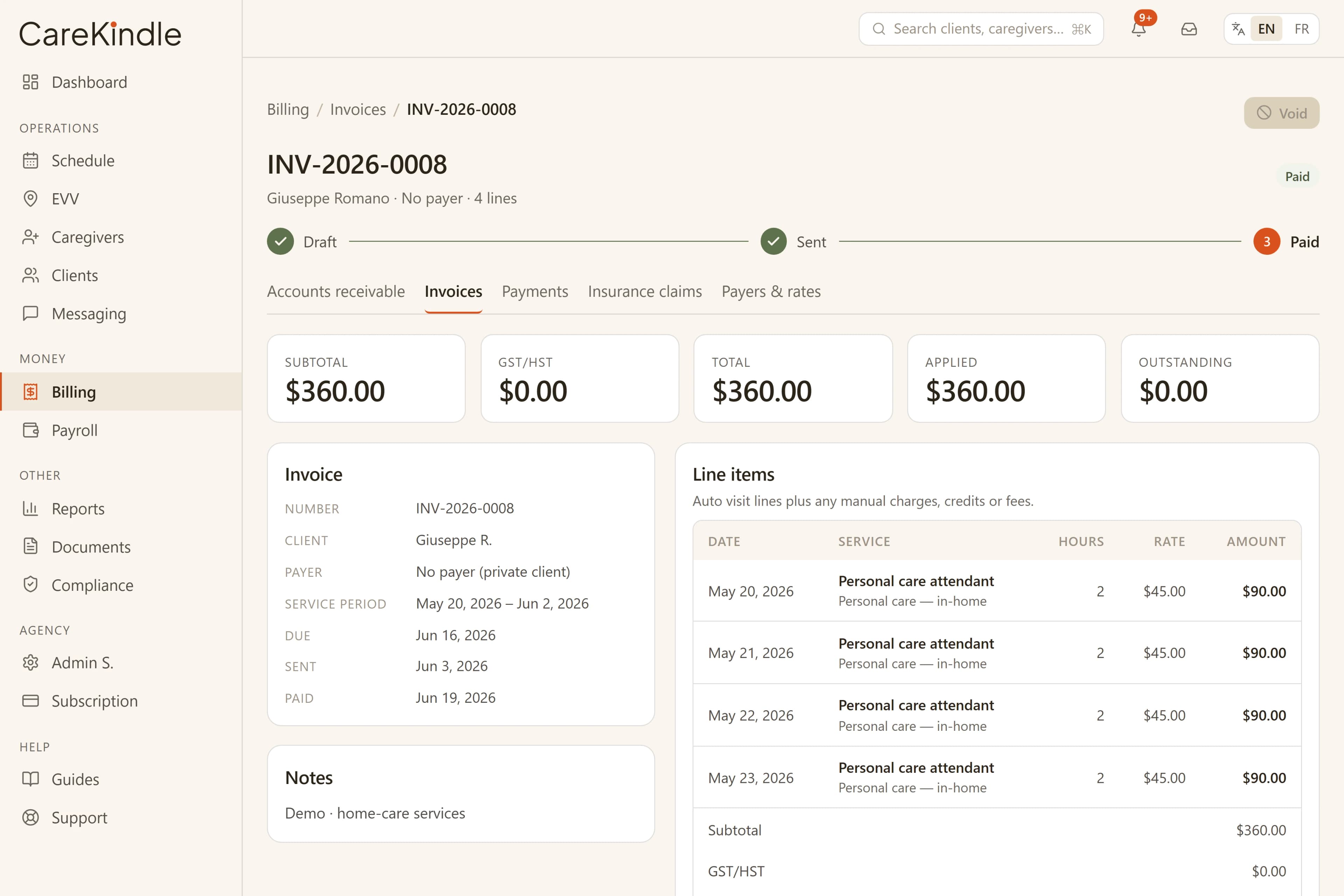
Invoices with GST/HST by the client’s province
CareKindle generates client invoices from the visits your caregivers complete. Each invoice is built from real service lines, so the amount a family sees maps to the care that was actually delivered, not an estimate.
When you mark an invoice as taxable, CareKindle applies GST/HST using the province on the client’s primary address — so an Ontario client and an Alberta client are taxed correctly off the same workflow. The tax line and totals are shown clearly, ready to send and easy for a client or bookkeeper to read.
If the client has no province on file, CareKindle blocks the taxable invoice rather than guess a rate or silently apply 0% — it tells you to add a province first, or to invoice as non-taxable. Whether a service is taxable can depend on the type of care and your circumstances; CareKindle gives you the controls to reflect your own decision and does not provide tax advice.
- Invoices priced straight from completed visits.
- GST/HST computed from the client’s province, not a flat guess.
- A taxable invoice with no province on file is blocked, not estimated.
- Generation date stamped so records stay auditable.
Charge late cancellations without paying the caregiver
When a client cancels at short notice, the office can record a late-cancellation fee at the moment it cancels the visit, with a reason for the record. The fee bills the client without paying the caregiver — a cancelled visit was never worked, so payroll, which only pays completed visits, leaves it out.
The fee surfaces on the client’s next invoice as a clearly labelled “Late cancellation” line alongside any delivered care, so the charge is transparent and tied to a documented reason rather than a mystery amount.
A visit that is already in progress can’t be cancelled out from under the caregiver: if someone has clocked in, you clock the visit out to record the time worked instead. That keeps a billable cancellation strictly a not-yet-started event and prevents a charge from colliding with real worked time.
- Late-cancellation fee entered at cancel time, with a reason.
- Client is billed; the caregiver is not paid for a cancelled visit.
- Shows as a labelled “Late cancellation” line on the next invoice.
- An in-progress visit can’t be cancelled — clock it out instead.
Prepare clean claims for insurers and funders
Many home-care clients are covered in part by private insurers, veterans programs, or provincial authorizations. Those payers want to see what was provided, when, and by whom before they reimburse. CareKindle keeps that detail attached to every billable visit.
Where a visit draws on a client’s authorization, CareKindle checks the whole visit falls within the authorization’s coverage period — measured against the visit’s end — so you don’t bill care that ran past the dates a funder approved. Once a visit is in progress or completed, its linked authorization is locked, so the coverage it was billed against can’t be quietly switched after the fact.
When a claim is split between a funder and the family, you can bill the delivered care once and present the portions cleanly, so nobody is charged for a visit that did not happen.
- Service date, duration, and caregiver on every line.
- A visit must fall entirely within its authorization’s coverage period.
- A linked authorization locks once the visit is in progress or done.
- Clear separation of funder and family portions.
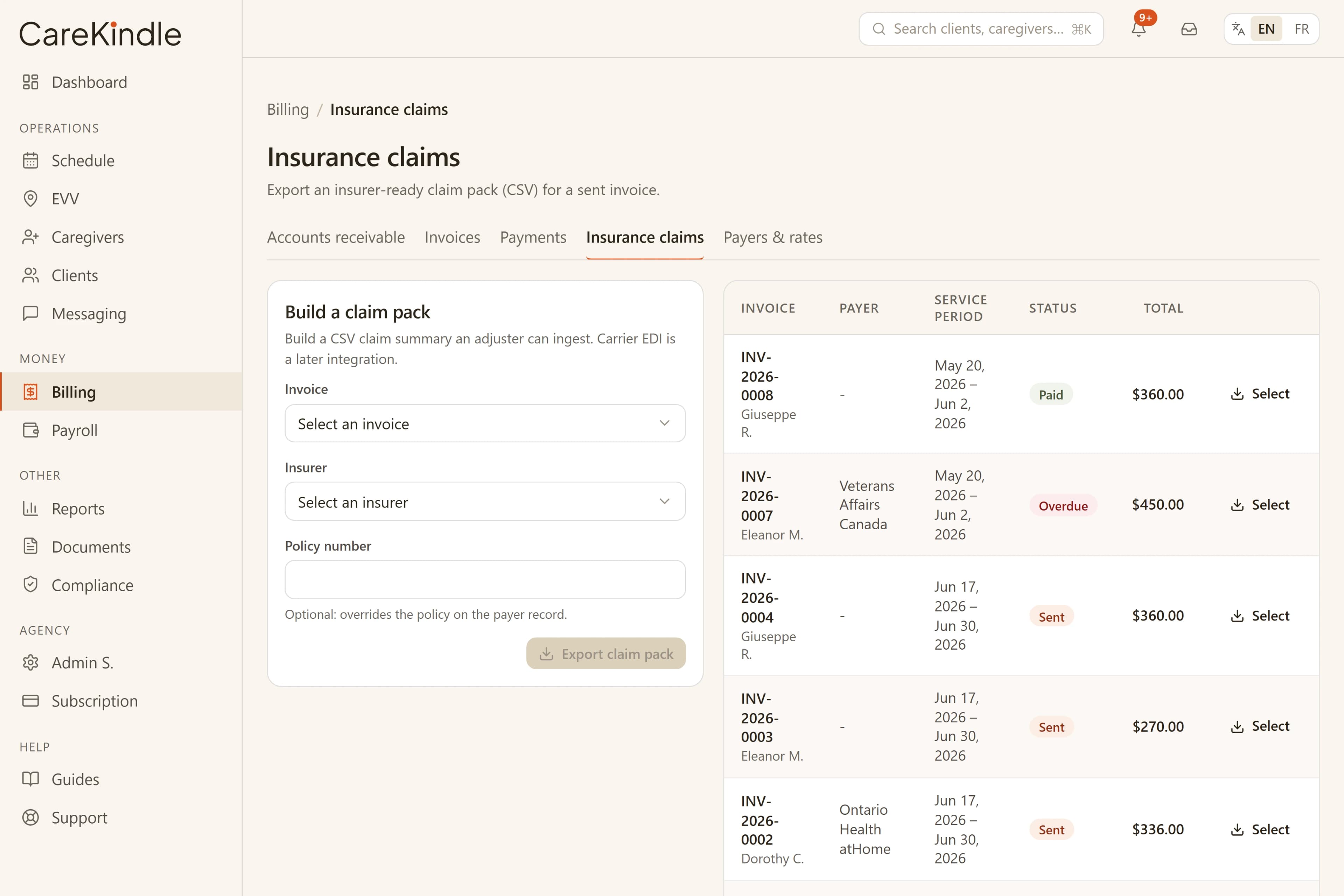
Accept Interac e-Transfer and reconcile by hand
Interac e-Transfer is how a lot of Canadian families prefer to pay. CareKindle lets you record an Interac payment against the invoice it settles, so your receivables reflect what has actually arrived in your account.
Marking a payment updates the balance on that invoice, which keeps your outstanding list honest and tells you at a glance who still owes. Once an invoice has payments recorded against it, CareKindle won’t let you void it — voiding would strand that money against a dead invoice — so you reverse the payment first if a correction is needed.
CareKindle records the payments you enter; it does not move money or connect to your bank. You reconcile against your own deposits, and your books stay the source of truth.
Client credits and deposits, applied on the right side of tax
Each client’s Billing tab carries a small ledger for two kinds of money: credits — goodwill adjustments you grant, like making up for a rough visit — and deposits — money a family has actually paid in advance, recorded with the method, reference, and date received. The balance is always computed from that ledger, and the history shows what each entry was for, how much has been applied, and what remains.
The two behave differently on purpose, because they sit on opposite sides of tax. A credit is a price adjustment, so it comes off before GST/HST: when you generate a private-pay invoice, available credit is applied as a negative “Account credit applied” line that reduces the taxable base. A $100 credit on a 13% HST invoice takes $113 off what the family owes — the credit and the tax it would have carried.
A deposit is money on account, not a discount, so GST/HST is still charged on the full service value. When you send the invoice, the deposit is applied as a payment — the send dialog previews exactly what will be drawn, with the option to skip it. Record $100 from a family today and it sits on their balance; when their next private-pay invoice totalling $100 goes out, the deposit covers it and the invoice lands as Paid the moment it’s sent.
Invoices routed to an insurer or another payer never draw a family’s money automatically — explicit “Apply available credit” and “Apply deposit” buttons keep that decision in your hands. And if an invoice is voided, whatever credit or deposit it drew goes straight back to the client’s balance, so nothing is lost against a dead invoice.
- Credits come off before GST/HST; deposits pay the after-tax total.
- A $100 credit on a 13% HST invoice reduces it by $113.
- Deposits apply at send — a fully covered invoice goes straight to Paid.
- Payer invoices apply credits or deposits only on your explicit action.
Safeguards that keep billing tied to delivered care
The strongest protection against a billing dispute is being able to show the visit behind the charge. CareKindle builds invoices from scheduled and completed visits, with visit verification on the front line, so the bill and the service it represents stay connected.
Several guardrails run before an invoice is created. An invoice that would total $0 — because no rate card matched and no default rate was set — is blocked so a misconfigured rate never ships an empty bill. And if an invoice already covers the exact same period for that client, CareKindle blocks the duplicate, so re-running a date range can’t double-bill a family.
Sensitive actions are recorded in the audit trail, and client information is handled on a platform built to stay aligned with Canadian privacy law (PHIPA and PIPEDA). When a visit is cancelled or changed, the billing reflects it — you invoice for care that was delivered, which keeps families, funders, and your own ledger in agreement.
- A $0 invoice (no rate configured) is blocked, not sent.
- The same period can’t be invoiced twice for one client.
- An invoice with recorded payments can’t be voided.
- Charges drawn from real, verified visits and captured in the audit trail.
Bill with confidence, backed by the care you delivered.
14-day trial · full access · no credit card.