
GUIDE
Bring the family into the circle of care
A worried daughter three provinces away does not need a phone tree. The family portal gives the people who matter a clear, read-only window into the care you deliver, and a calm place to ask questions.
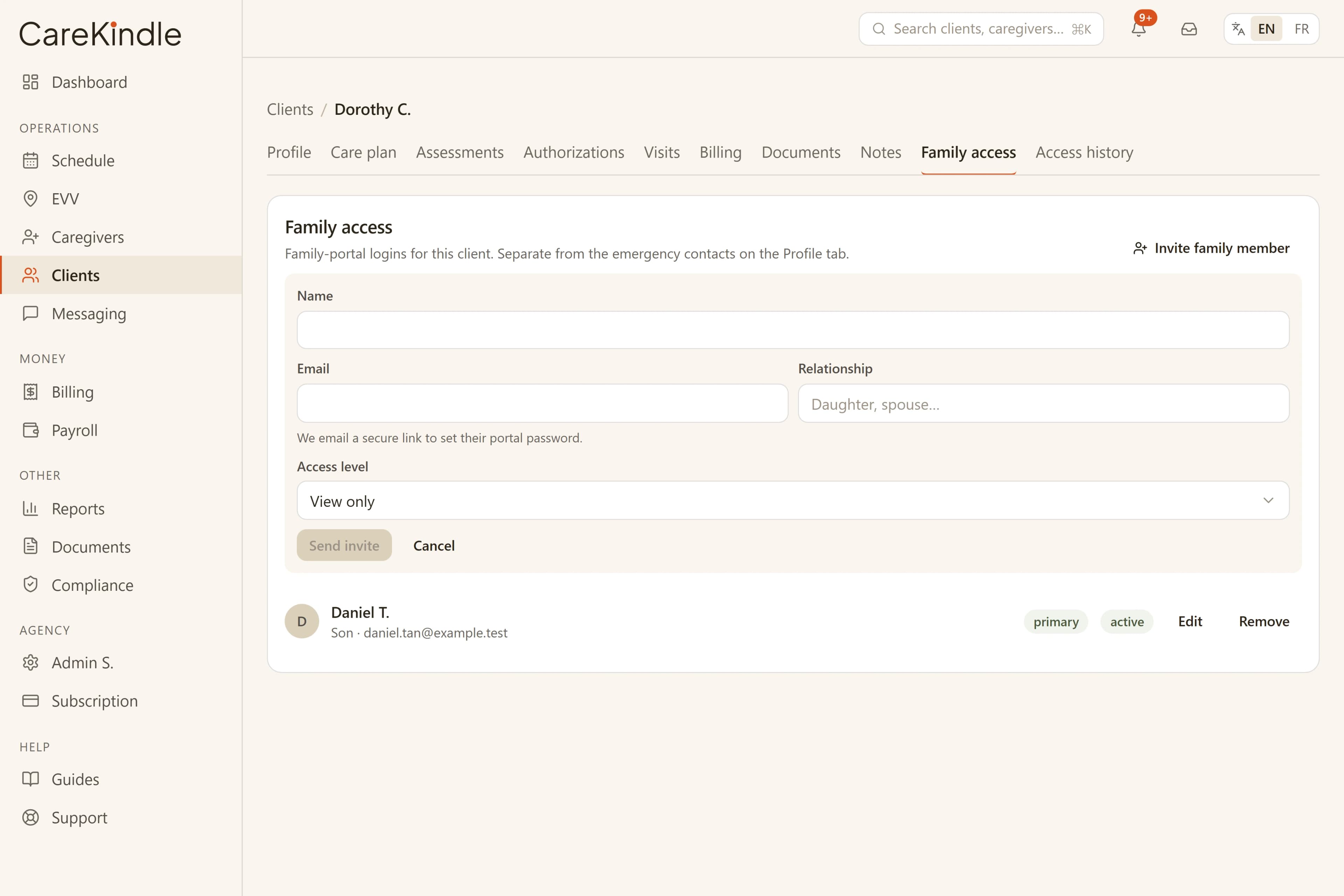
Access the office controls, on purpose
Family access is invite-only and scoped to one client. The office links a family member to the person they care about by email, and that member only ever sees that client, never anyone else on your roster. A family member linked to two relatives picks which one to view; they can never reach a client they are not linked to.
Each invited family member sets their own email-and-password login from a one-time setup link, so there are no shared codes floating around in a group chat. The office also chooses an access level per relationship, and can lower it or remove access entirely when a relationship changes.
The portal is read-only by design. Families follow what is happening; they cannot edit the schedule, the care plan, or anyone’s record, and they never see billing, payroll, or staff pay.
- One family member, one client at a time, with no cross-client visibility.
- Personal email-and-password sign-in, granted, levelled, and revoked by the office.
- Read-only views, so the care record stays the office’s system of record.
What families can see
The portal opens on a calm overview of the loved one: the next upcoming visit, the recent care team by first name, and a count of new updates, so a family member gets the gist before drilling in.
The Today view shows the day’s visits with the assigned caregiver’s first name and the real arrival and departure: the check-in and check-out times captured by electronic visit verification, not just the scheduled window. A status updates as a visit moves from scheduled to in progress to complete. What families do not see is the operational detail behind those stamps: no GPS coordinates, no location accuracy, no device or signature data ever crosses into the family view.
Recent updates the care team chooses to share appear alongside the schedule, so a family member sees the note about a good afternoon or a changed routine without phoning in. Only notes the office explicitly marks family-visible appear; internal notes stay internal.
Beyond today, families can review past visits and read the current published care plan: the goals and daily tasks your team set. They can also open documents the office has marked as family-visible, and only files that have passed a virus scan are ever offered for download.
- A loved-one overview: next visit, recent care team, and new-update count.
- Today’s visits with caregiver first name and real check-in / check-out times — no GPS or device detail.
- A history of completed visits.
- The current published care plan, read-only.
- Only office-shared, virus-scanned documents, with secure downloads.
Visit updates that answer the question before it is asked
Most family calls to the office are some version of "did someone come today?" The portal answers that on its own. Because the timeline reflects electronic visit verification, a family member sees that the caregiver checked in at 9:12 and checked out at 11:05, confirmation in their own hands.
The view refreshes on its own, so a relative watching in the morning sees a visit flip to in progress and then complete as the day unfolds. Shared updates land in the same place.
That visibility takes pressure off your coordinators. The routine "is everything okay" calls drop, and the conversations you do have are about care, not logistics.
Messaging the circle of care
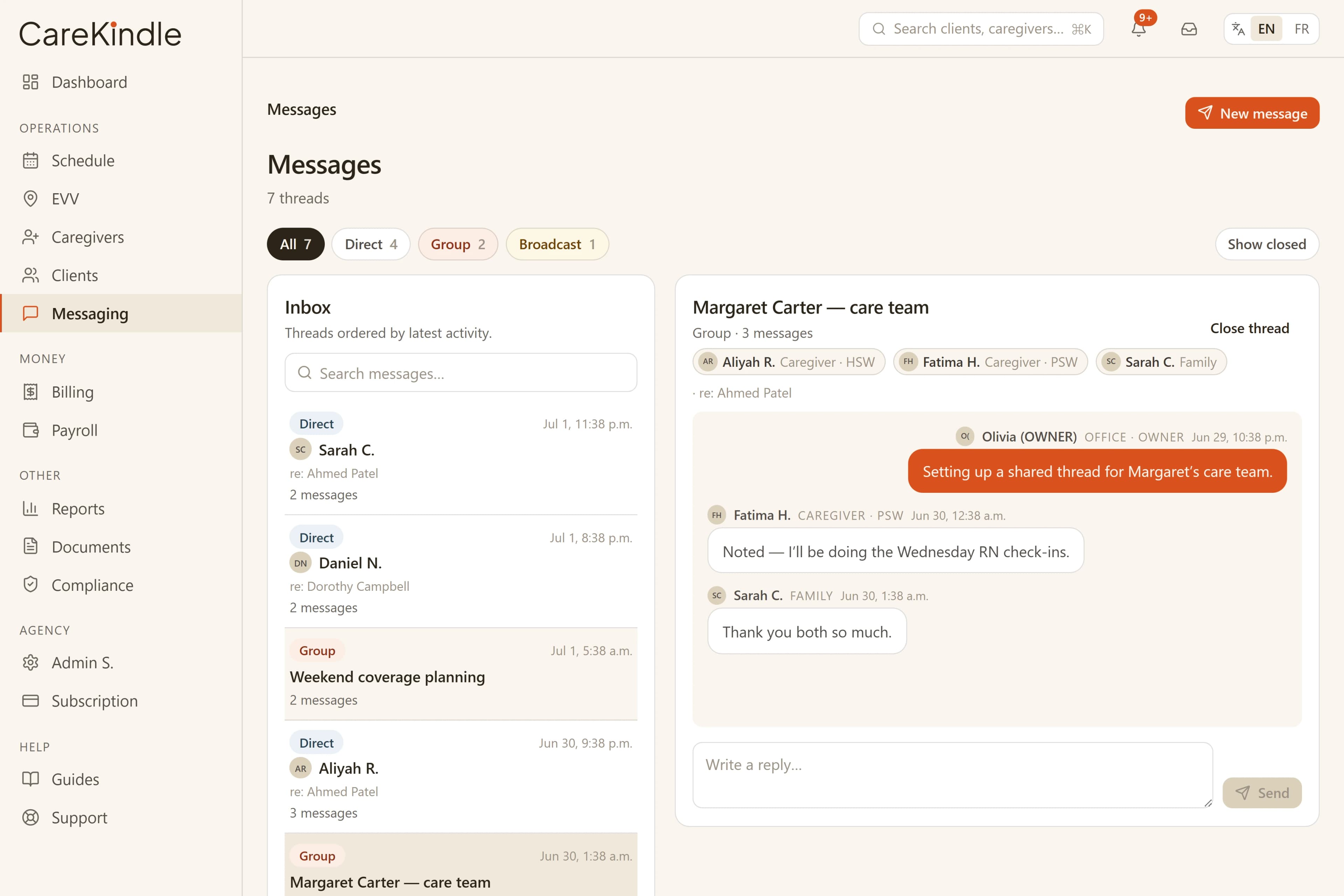
The portal includes a simple message thread between the family and your office. A family member can ask a question or flag a concern, the office is notified, and a coordinator replies in the same place — under the office staffer’s name, never a personal cell number, and never a text that vanishes into one caregiver’s phone.
Keeping the conversation in CareKindle means it stays with the client record and inside the same access controls as the rest of their information, rather than scattered across email and SMS.
CareKindle handles personal health information and is built to align with PHIPA and PIPEDA — laws, not certifications we claim. Family access is scoped per client, and reads of that information are logged so you can see who looked at what.
- Two-way messages between the family and the office, kept with the client.
- Office replies show the staffer’s name; no shared personal phone numbers.
- Access scoped per client; reads of health information are logged.
Accounts the office stays in control of
A family member manages their own account: they can update their display name and change their own password after confirming the current one. Changing or resetting a password signs that member out on every device they were using, so a recovered or shared account does not stay open somewhere it should not.
The office keeps the controls that matter. Removing a family member’s access to a client, or disabling their login outright, takes effect immediately — not on next sign-in — so a relationship that ends is closed off at once. The same holds for your own staff: removing an office user’s access to your agency cuts it off on their next request, not whenever their session happens to refresh.
Whenever a password is set or changed, CareKindle emails the family member a plain confirmation — no health information, just a heads-up that something changed on their account, so an unexpected change gets noticed.
- A password change or reset signs the member out everywhere.
- Office removal of access — family or staff — is immediate, not next-login.
- Password-change confirmation emails carry no health information.
Give families a calmer way to stay close to the care you provide.
14-day trial · full access · no credit card.