
GUIDE
Build the week without double-booking anyone
A clean schedule is the difference between a calm Monday and a morning of phone calls. Here is how to build recurring care, fill the gaps, and catch conflicts before they reach a caregiver or a client.
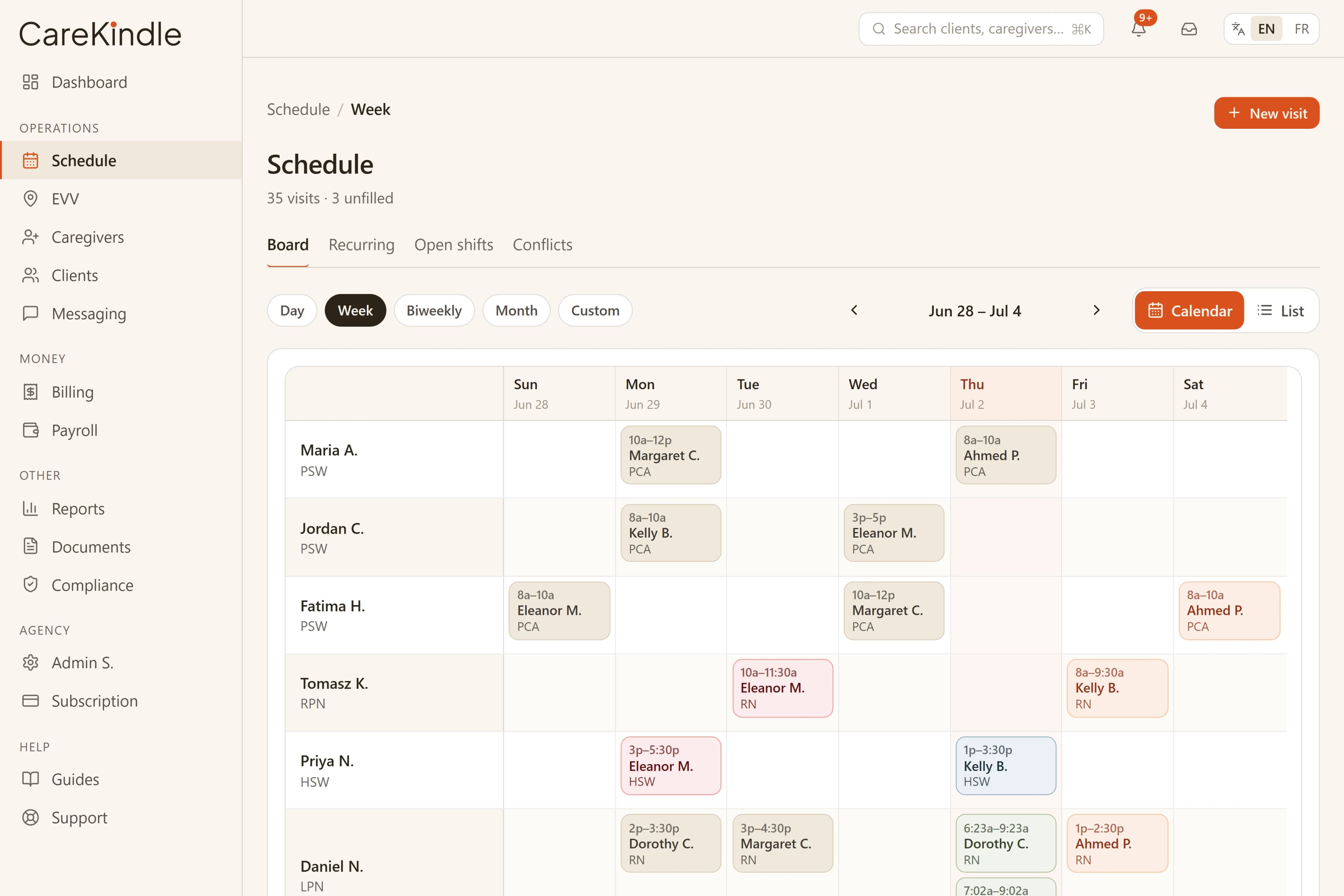
Start from recurring shift templates, not a blank week
Most home-care work repeats. A client who needs a morning visit Monday, Wednesday and Friday this week needs the same next week, and the week after. Rebuilding that by hand is where small mistakes creep in.
In CareKindle you set a recurring template once — the days and times, the service, the expected duration and an optional default caregiver — and it generates the visits ahead of time across a rolling horizon. Each visit carries the client, the service, the time and the duration, so the schedule you publish reflects the actual care plan rather than a rough sketch.
Regenerating from a template never double-books itself: a date that already has a visit from that template is left exactly as it is, so you can re-run it safely as the calendar rolls forward. Edit the template to change how future dates are generated, and you are working from one definition instead of editing the same shift seven times.
- Set a day-and-time pattern per client, with an optional default caregiver.
- Each generated visit keeps the client, service and expected duration attached.
- Re-running a template only adds new dates — it never duplicates ones already on the calendar.
Fill the gaps from one open-shift board
Recurring patterns cover the steady work. The rest, a new client, a vacation, a caregiver out sick, is what actually eats your week. The trap is letting those open visits live in your head, a notebook and three text threads at once.
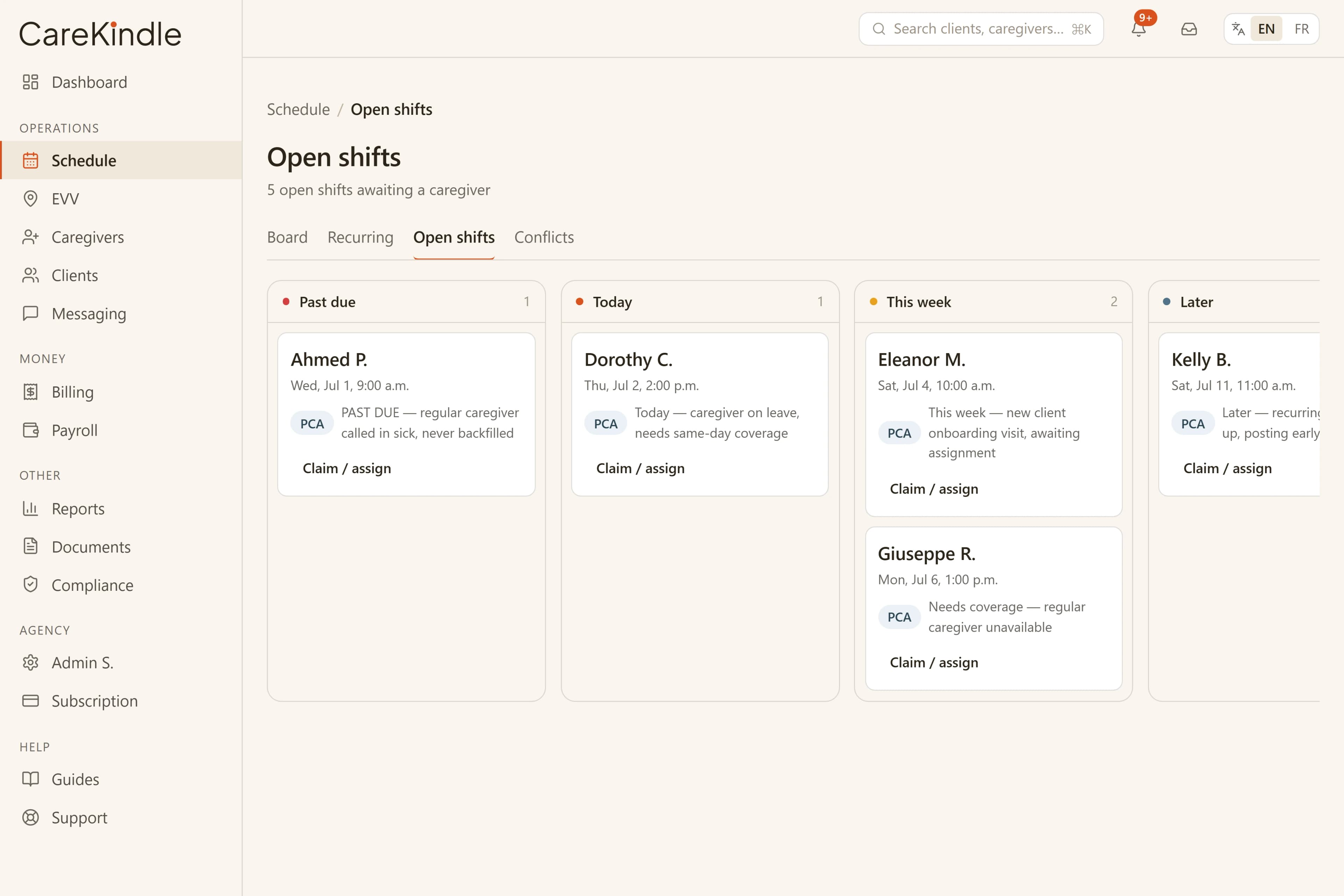
CareKindle keeps every unfilled visit in one place and counts it for you, so the question "what still needs a person this week" has one honest answer. You assign from that board instead of hunting across the calendar.
Posting an open shift to the right caregivers turns the scramble into a short list. You see what is still open, who could take it, and what is left once you have assigned, all on the same screen.
- Every unfilled visit counted in one place, not scattered across threads.
- Post open shifts to caregivers who can actually take them.
- Watch the open count fall as you assign.
Catch double-bookings and conflicts before you publish
The schedule that hurts is the one that looks finished but is not. Two visits on one caregiver at the same hour, a shift that runs past availability, a visit assigned to someone whose credential lapses mid-week.
CareKindle checks for these as you build, not after a caregiver shows up at the wrong address. Overlaps and conflicts surface inline against the week, so you fix them while the change is still in front of you.
The point is a quiet publish. When you push the week live, you have already seen the warnings, rather than learning about them from a 7 a.m. phone call.
- Same-caregiver overlaps flagged inline as you assign.
- Shifts that run past availability surfaced before publish.
- Expiring credentials flagged before they become a scheduling problem.
Match caregivers to clients with intent
A conflict-free schedule still has to be a good schedule. The right caregiver for a client is one who is available, close enough to the visit to arrive on time, and a sensible fit for the care being delivered.
CareKindle gives you the context to make that call while you assign: who is free in that window, and whether their file is in good standing. You are matching against real availability and real records, not guessing from memory.
Consistency matters in home care. Keeping the same few caregivers with a client, where it works, builds trust and steadier visits, and the board makes that pattern easy to hold week over week.
- Assign against real availability for the visit window.
- See whether a caregiver is in good standing before you commit.
- Keep continuity by holding the same caregivers with a client.
Handle cancellations without losing money or trust
Plans change. A client cancels the morning before a visit, or a family asks to skip a week. The question is what happens to the schedule, the caregiver and the bill — and that should be a decision you make, not a side effect you discover later.
Cancelling a visit in CareKindle clears it off the board and off the open-shift list, and the caregiver is never paid for a visit that did not happen. When your policy allows it, the same cancel step can charge the client a late-cancellation fee: you enter the amount and a short reason, and it lands as a clearly labelled "Late cancellation" line on that client's next invoice — billed to the client without paying the caregiver.
One guardrail keeps the record honest: a visit that is already in progress, where the caregiver has clocked in, can't be cancelled. You clock it out instead, so the time actually worked is recorded and paid rather than erased.
- Cancelling clears the visit and the open shift; the caregiver is never paid for it.
- Optionally bill a late-cancellation fee with a reason — it shows as a "Late cancellation" line on the next invoice.
- A clocked-in visit can't be cancelled — clock it out so the worked time is recorded.
Keep the record clean after the visit
A schedule is only as good as what gets recorded against it. CareKindle pairs the calendar with electronic visit verification so a clock-in and clock-out actually back each visit.
To stop a forgotten shift from being self-completed days later, a caregiver can only clock out within a window past the visit's scheduled end — three hours by default, which each agency can change in Settings. Past that window the office records the clock-out instead, so a stale or abandoned shift is corrected by a person rather than rubber-stamped from the field.
- Every visit is backed by a real clock-in and clock-out.
- Caregiver clock-out is bounded to a window past the scheduled end (3 hours by default; set per agency).
- Past that window the office records the clock-out, keeping stale shifts from self-completing.
See how a clean week comes together in CareKindle.
14-day trial · full access · no credit card.