
Solutions · Assisted living
Run the whole residence from one dashboard.
A versioned care plan for every resident, staff credentials watched before they lapse, and the reports that show the building at a glance. One operations dashboard, not a binder per floor.
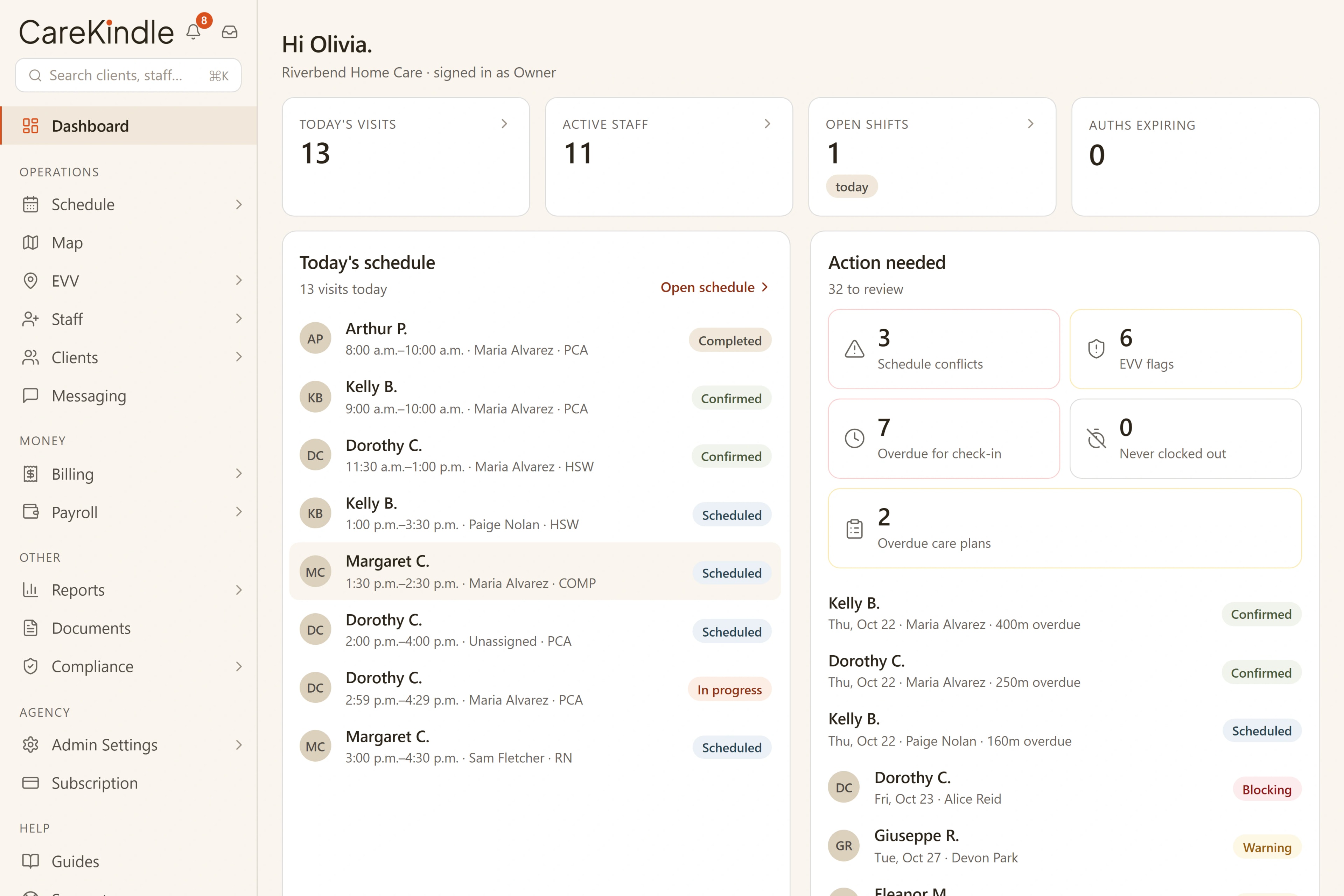
One dashboard
The whole building, in one view, before the shift starts.
The whole residence sits on one screen: visits in progress, the shifts still open, the items that need a look, and the resident counts per floor. Every floor lead starts the day from the same live picture, so a gap on one floor is everyone’s to see, not a binder each.
- Visits, open shifts and flagged items in one operations view.
- Resident counts per floor, current at a glance.
- Every floor lead works from the same live picture.
Across the residence
The three things a building has to keep straight.
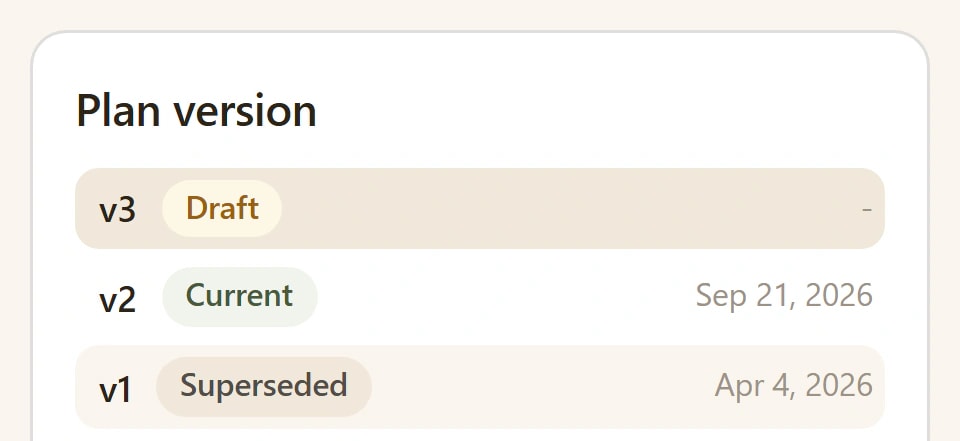
A current care plan for every resident, with its history kept.
Each resident has one living plan, and every published change keeps the version before it. See what the plan said last week, who changed it, and when, without digging through a paper file.
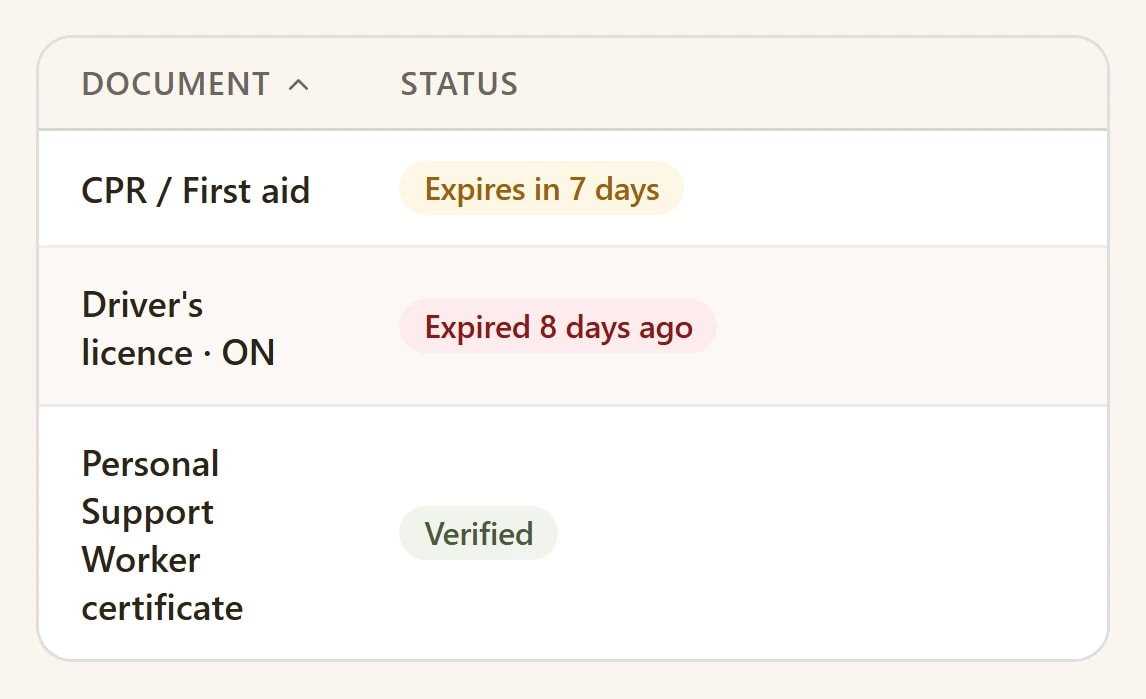
Catch an expiring credential before it becomes a staffing gap.
Each staff credential carries its own expiry date, and the ones coming due are flagged ahead of time. You staff the floor knowing every credential on shift is still valid, not finding out after.
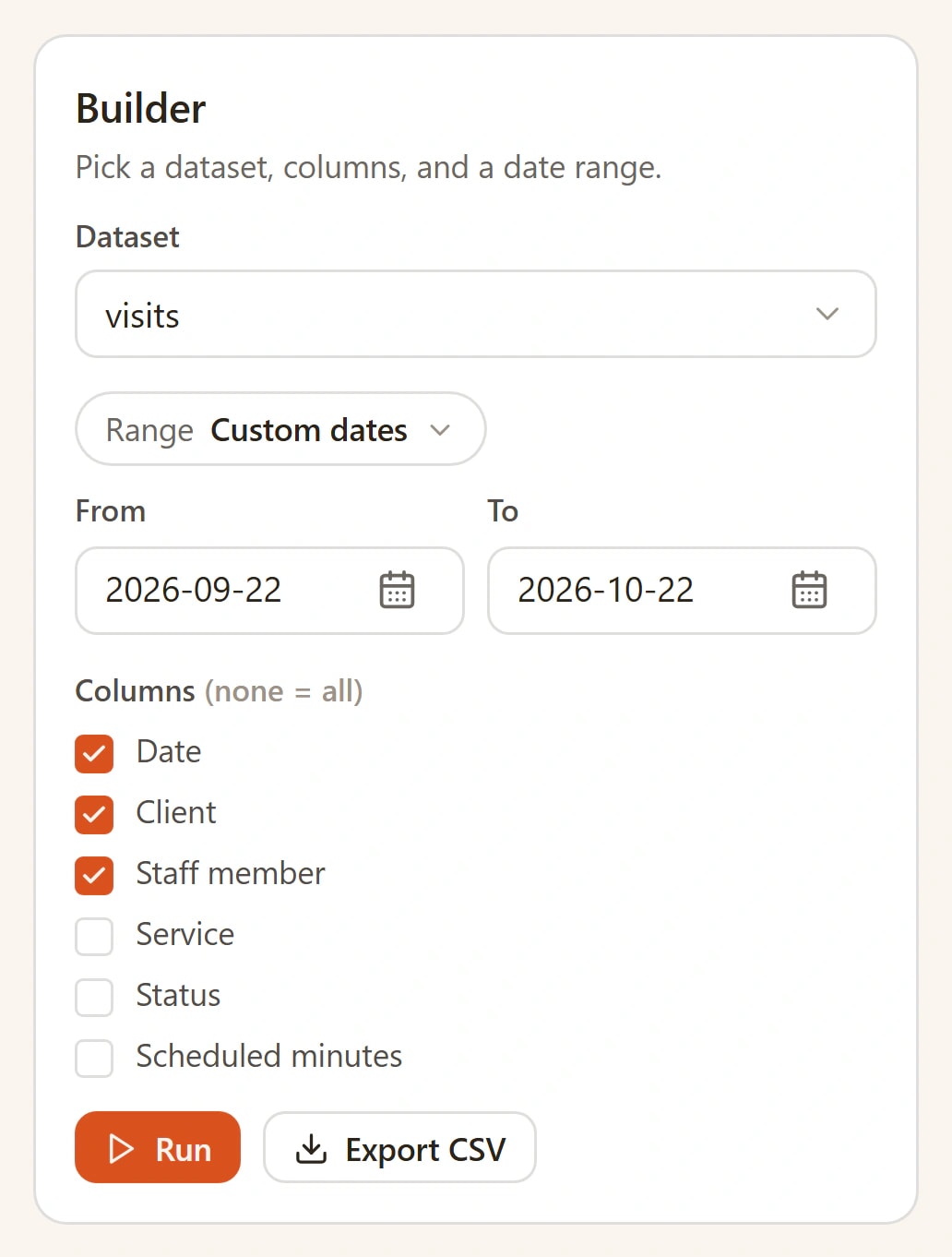
Answer for the whole building, not one resident at a time.
Prebuilt reports cover the standing residence questions, a builder covers the rest, and any report exports to CSV when the numbers need to live somewhere else.
How it adds up
Built for a building, not a single client.
- operations dashboard for the whole residence
- One
- one versioned care plan, history kept
- Per resident
- tracked with its own expiry date
- Every credential
- EN / FR across the platform
- Bilingual
A building full of people, each with their own day.
Behind every line on the dashboard is a resident who deserves an attentive shift. The operations stay in one place so the floor can stay focused on them.

Other care settings
The same platform, for other kinds of care
Home Care
Scheduling, visit verification, and billing for visits in the home.
EVV
GPS check-in at the door with a live board and exception queue.
Pediatric & disability support
Versioned care plans and verified visits for ongoing support.
Bring the whole residence onto one dashboard.
14-day trial · full access · no credit card.